STAGE PLOT PLANNER
Free stage plot maker & input list builder
Create a stage plot, an input list, or both. Start from scratch or import existing paperwork, then edit, print and share. Free. No account required. For any band, at any venue.
Loading the planner…
How the planner works
A quick plan for everyday gigs, or a detailed technical setup
Simple plot & input list gives you a blank stage and an independent channel list: place items, type your inputs and print. No setup interview. Choose the Detailed show planner for monitor mixes, supply responsibilities, lighting, power and FOH split routing. Guided setup can walk you through the band one musician at a time. Rider import reads text-based PDF, Word (.docx), Excel (.xlsx), CSV and plain-text files in your browser; nothing is uploaded. It drafts performers, the input list, monitor mixes and backline, keeps exact-model and “or equivalent” wording, and flags anything it inferred. For scanned pages and JPG/PNG photos you can choose to read the text on your own device (optional OCR — the reading tools download once from this site and the rider still isn’t uploaded). Scanned text can be misread, so everything taken from a scan is marked to check, and pages that still can’t be read are listed. Older .doc, .pages and .xls files aren’t read directly (export as PDF, use .xlsx for spreadsheets, or paste the text); HEIC photos work only in browsers that can open them.
Draw freely, or connect the details
In Simple mode, the drawing and input list stay independent. In the Detailed show planner, you can link inputs and monitor mixes to performers and stage items, so channel numbers appear on the plot and wedges follow their mixes. Pick a starter stage size or type the real width and depth in feet and inches or meters; typed measurements are kept exactly. Items start as planning-size allowances — not manufacturer dimensions — and are labeled that way until you enter a real size. Prints carry dimensions and a scale bar, and can be fit to the page or printed at a fixed scale such as 1:48 or 1:100. Overlap and stage-size warnings point out conflicts. Stage right and stage left are the performers’ right and left as they face the audience.
Yours to keep
Plots are saved in this browser. Download a project file to back it up or move it to another device, print or save a PDF with the plot, key, input list and monitor mixes, or create a share link for the venue. Share links never include rider text, and include contact details only if you choose.
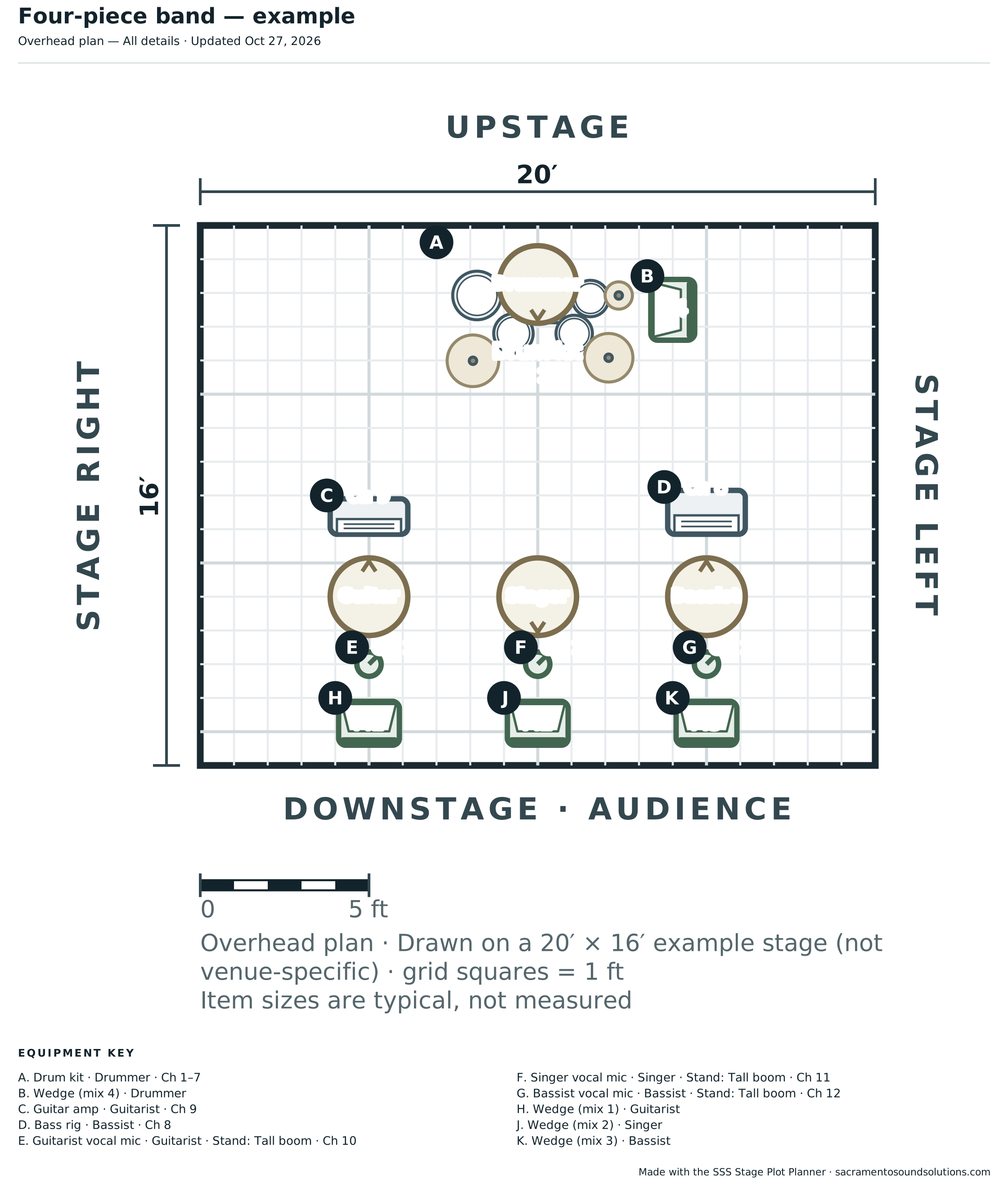
Example stage plot: a four-piece band
Drums upstage, bass and guitar to either side, and lead vocal downstage. This is an editable starting arrangement, not an artist’s rider or a venue specification. In From a band lineup, choose Rock band (4) to start your own version. Check every suggested input and monitor mix with the band.
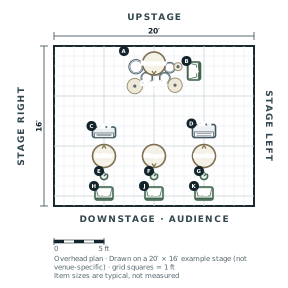
Download the example stage plot. The planner can print your plot and input list together or separately.
Need equipment or help?
When your plot is ready you can browse SSS backline and rental equipment in Sacramento, or ask for live sound and backline support. It’s optional; the planner works for any venue.